Manual Controls
Move and operate the stretcher manually.
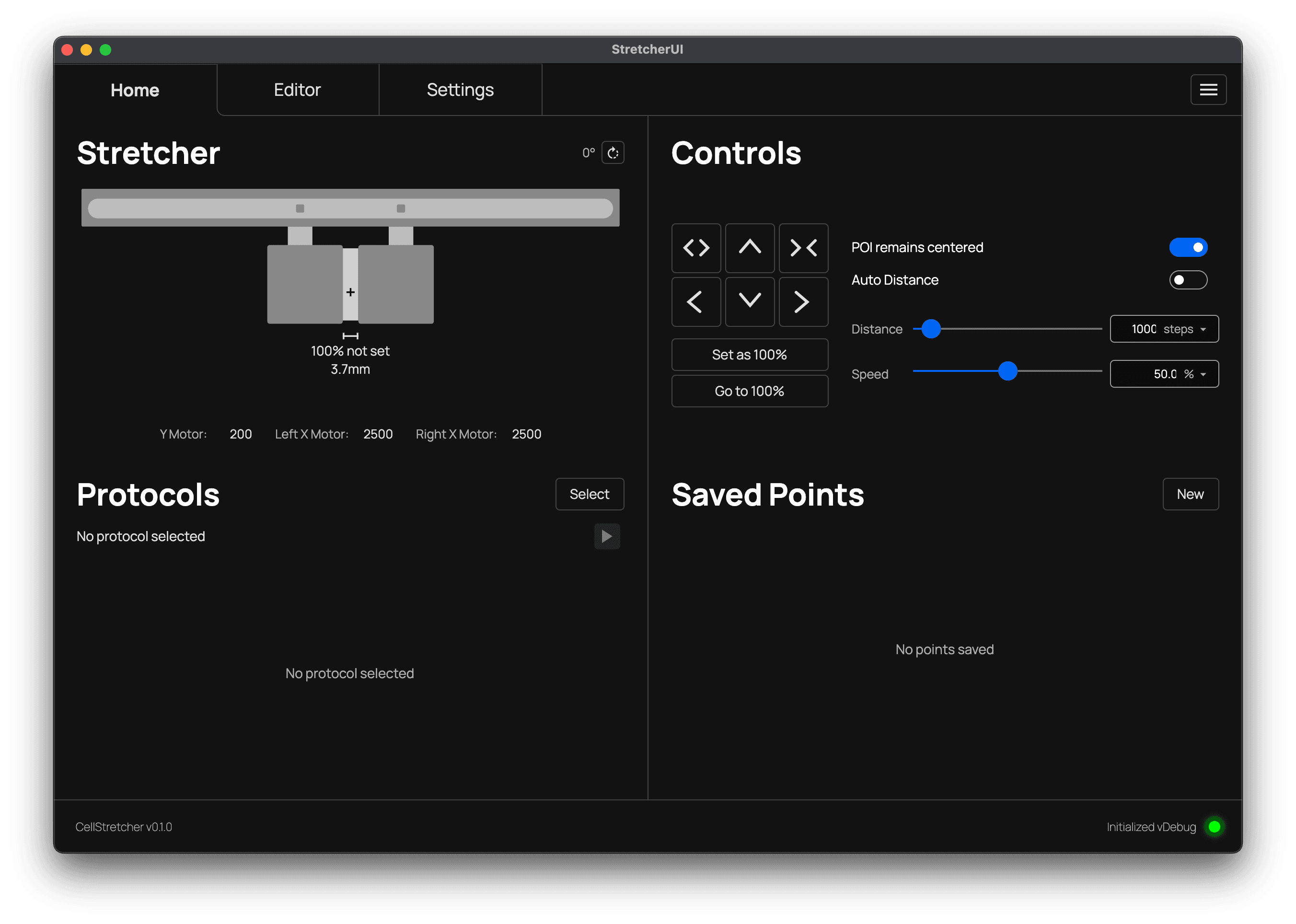
The manual controls give you full power over the stretcher. All operations are available, including moving on the x and y axis as well as stretching and contracting. In addition, there are input fields for moving a certain distance, or you can use the auto distance mode, which removes the distance slider and calculates the value for you.
It is important to note that the settings of the two toggle switches and the two sliders are applied whenever a control button is pressed or its equivalent shortcut is used.
POI remains centered
The "POI remains centered" toggle forces the current position to stay centered while stretching. This is very useful when watching a point under the microscope, so it does not get lost in the view.
Auto distance
The "Auto distance" toggle disables the distance slider and calculates the distance from the speed slider instead. This gives you a game like control over the stretcher. For smaller, more controlled moves, it is advised to lower the speed, since the distance is then lower as well. The opposite applies for wider distances.
The distance slider
The distance slider offers the units %, µm, mm and cm. These values are applied either to a move in a certain direction or to the stretch and contract operations. The % value is always evaluated against the initially set reference value.
The speed slider
The speed slider offers the units %, ms and s. These values are applied either to a move in a certain direction or to the stretch and contract operations. The % value references the top speed of the stretcher.
100% Reference
Protocols rely on a 100% reference to translate their percentage values into real positions. You can set this reference manually with the dedicated button, or let the setup wizard do it for you automatically after inserting the membrane. Whenever you need to, you can also return the device to its 100% reference. Both actions are available through the shortcuts and are protected by a confirmation dialog.