Building Protocols
Add, arrange and configure steps to build a stretch protocol.
The protocol editor is based on a drag and drop block editor, where each type of step can be easily added. There are three different types of blocks: stretch, wait and loop. By combining them, you can build anything from a simple sequence to a complex, repetitive protocol.
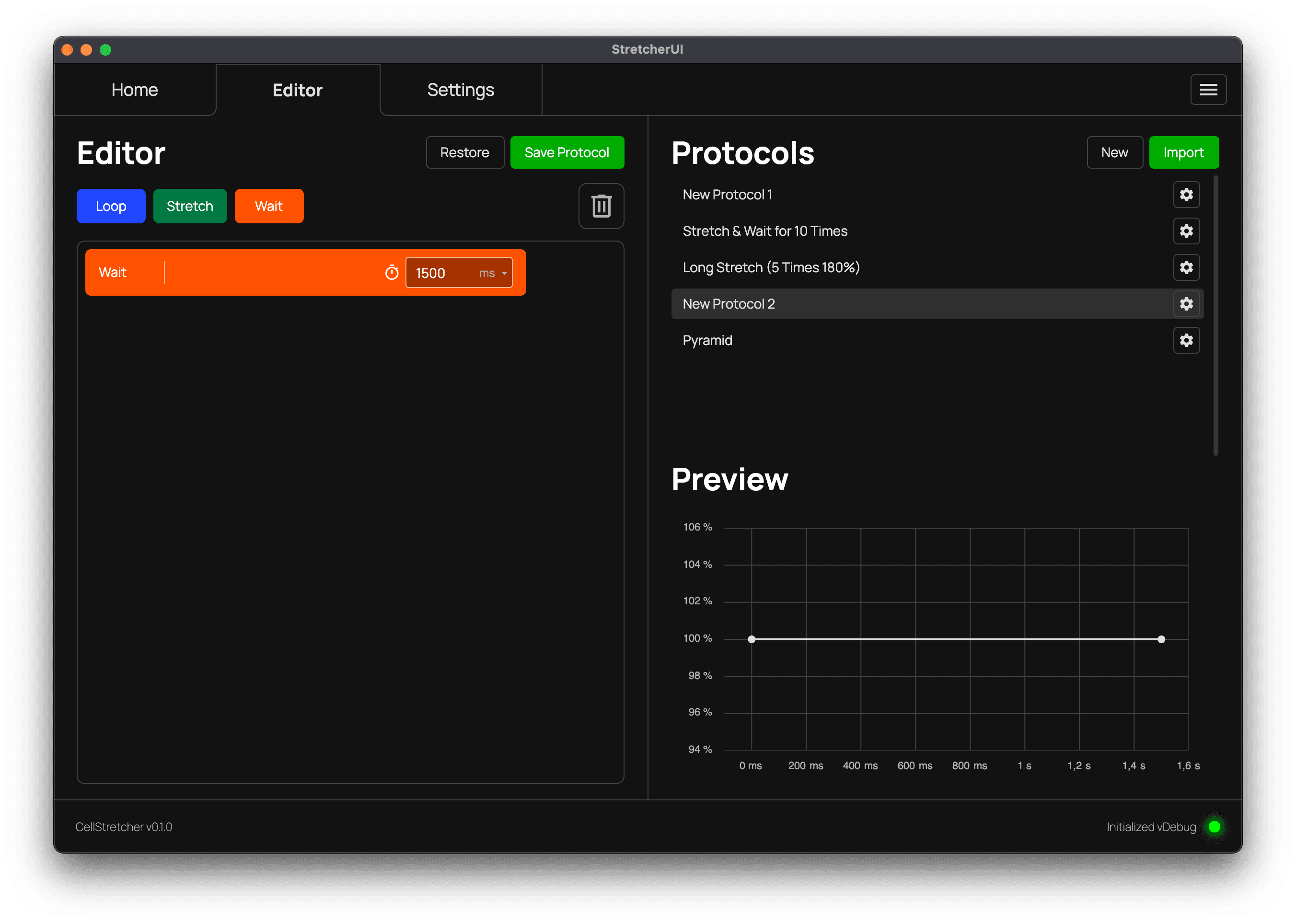
The wait block
The wait block is very simple. It does not execute anything on the stretcher and only waits at the current position for the entered timeframe. This can be used for various reasons, for example letting a cell stay at a certain stretch amount for a while. The available units are milliseconds and seconds.
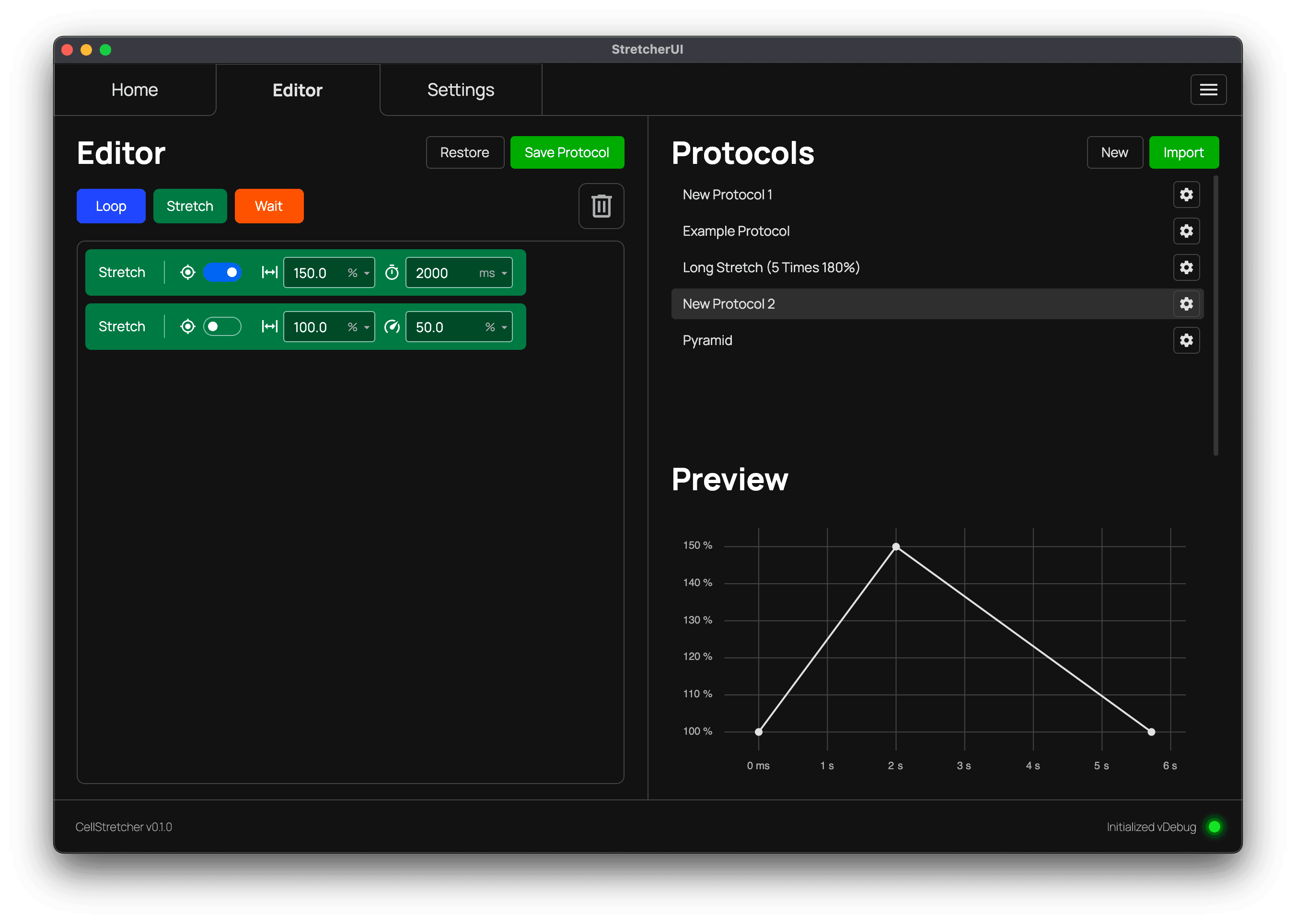
The stretch block
The stretch block can either stretch or contract the membrane. The entered percentage determines what happens, and the value is evaluated against the set reference. You can also set the time the movement should take, with the units milliseconds and seconds available.
In addition, there is a percentage option, which is the amount of the stretcher's top speed that should be used. This is especially helpful when the time is not important, because in that case there cannot be a validation error for a movement that would exceed the top speed or be below the minimum speed.
The toggle switch with the crosshair icon controls whether a POI is kept centered. When enabled, the stretcher performs the stretch or contract while keeping the current position centered. Note that this toggle is the source of truth and ignores the equivalent setting in the manual controls on the home tab.
I am using speed percentages and my graph instantly jumps to the points?
This indicates that there is no 100% reference set on the home tab. The speed percentage needs the exact value it has to cover before it can calculate the estimated time it takes. See previewing protocols for more information.
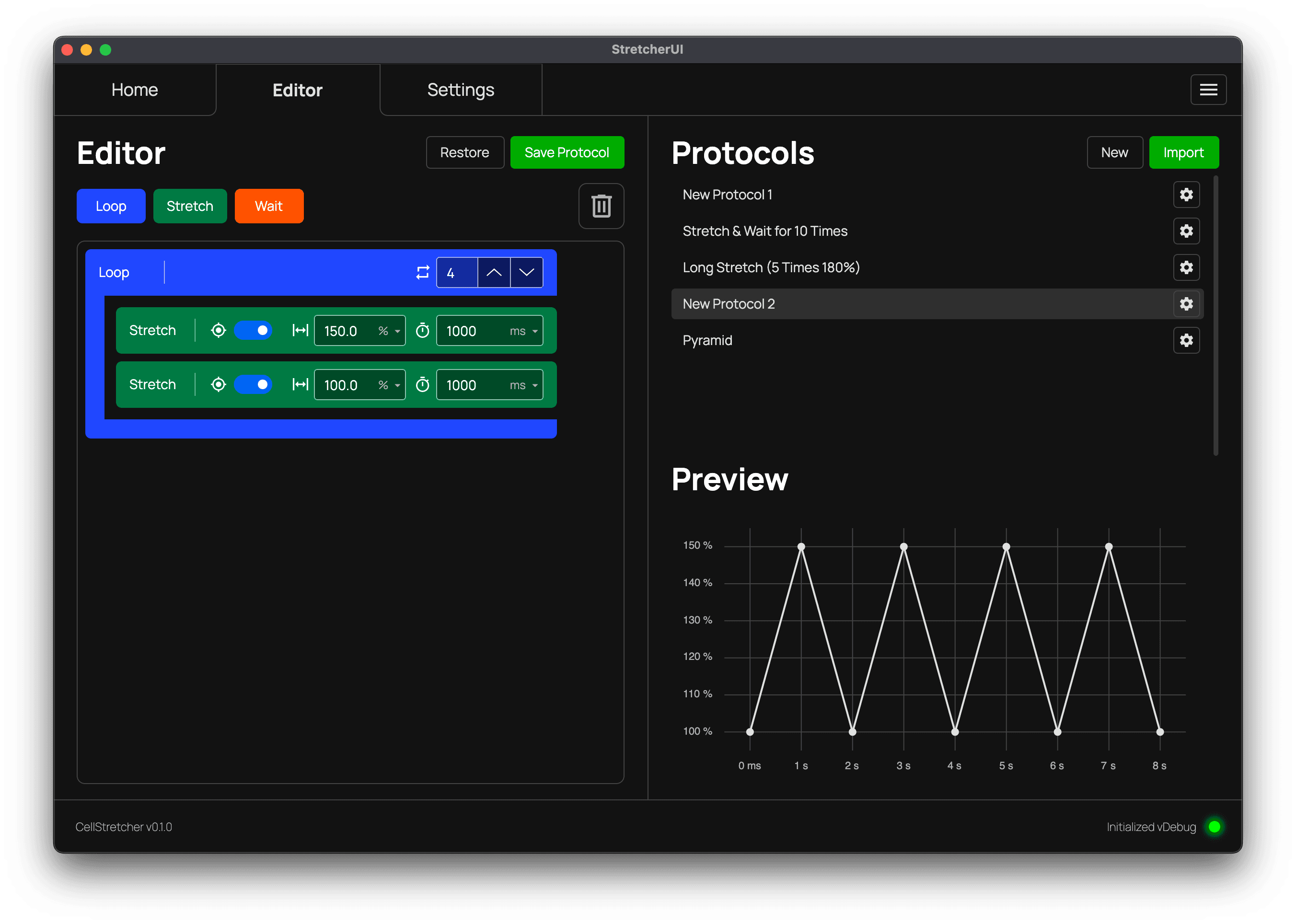
The loop block
The loop block iterates a set number of times over its child blocks, which makes it easy to create a repetitive protocol. There is no nesting limit, so you can place as many loops inside the body of other loops as you wish.
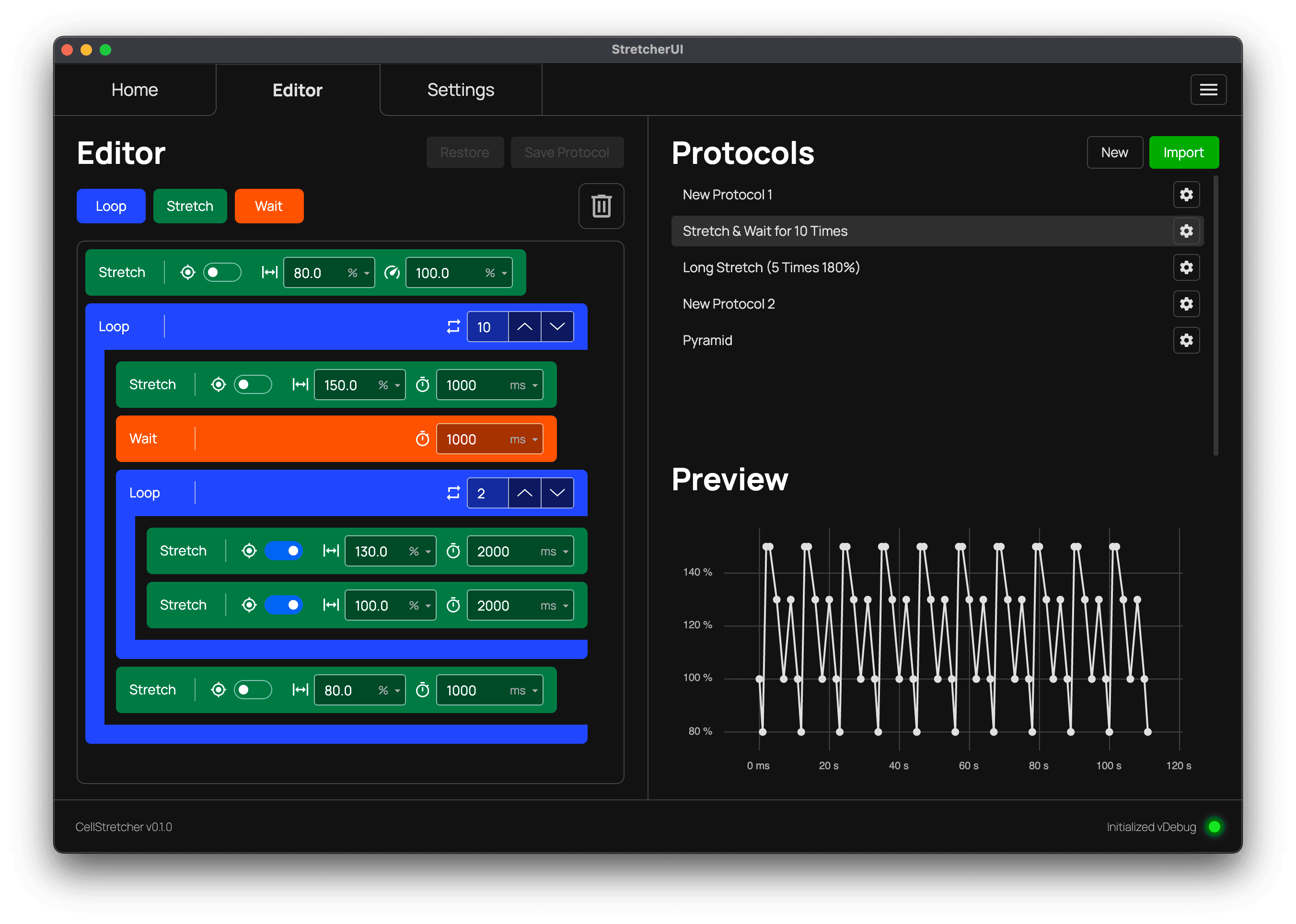
Combining blocks
When you combine these blocks, you can build complex protocols. The example below uses a nested loop and can be downloaded here.
Saving and restoring
Each edit to a protocol can be saved so it persists on the machine. To do so, press the "Save Protocol" button at the top. If you want to undo your changes, you can always restore the protocol to its latest saved version with the "Restore" button if you have unsaved changes.
Deleting a block
To delete a block from your protocol, drag and drop it onto the trashcan. Doing this with a loop block also deletes all of its child blocks.